WorkGuru managers can use task to-dos to present a checklist of task specific deliverables for users to mark as complete in addition to their timesheets. To-do's are designed to be used in conjunction with task completion statuses to give an accurate progress metric to be compared with the actual vs forecast time.
- Adding Project Task To-Dos
- Scheduling and Assigning Project Task To-Dos
- Editing Project Task To-Dos
- Deleting Project Task To-Dos
- Completing Project Task To-Dos
As staff are working on a task, as they complete specific to dos or milestones, they can mark them as complete as they are entering their timesheets. To dos can be scheduled to be completed by a specific time, and allocated to specific staff to complete.
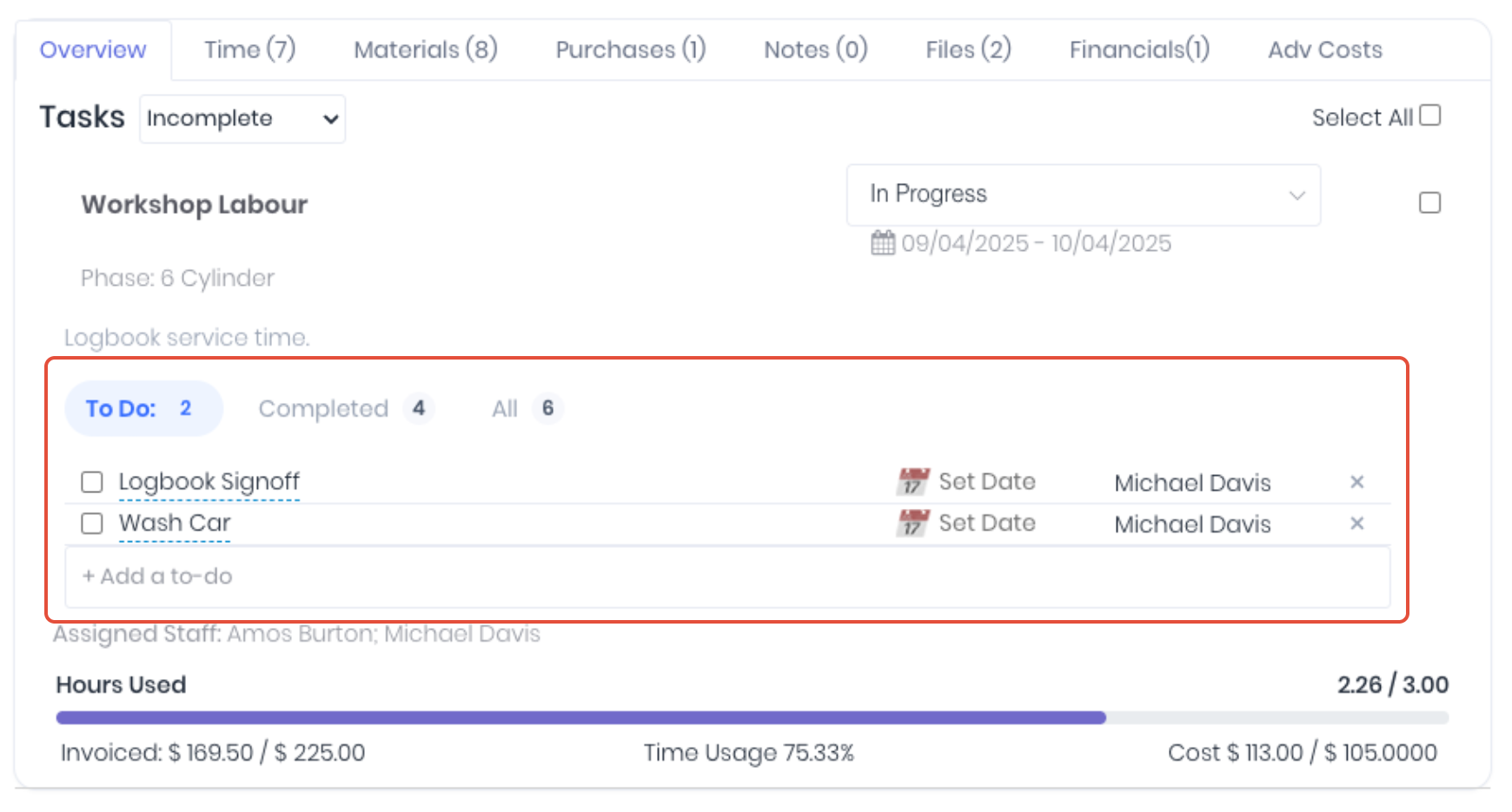
Task to-dos can also be setup in task defaults, project or production templates, production jobs or via the to-do dashboard.
Adding Project Task To-Dos
Click into the + Add a to-do field to add to-dos to the task. There is no limit to the amount of to-dos.

Scheduling and Assigning Project Task To-Dos
Once a to-do has been added, you can schedule the to-do by clicking Set Date and selecting the required date from the calendar pop-up. Assign the to-do to another user by clicking on the User and selecting the user from the dropdown.

Editing Project Task To-Dos
Edit the task to-do's by clicking on the to-do Name and entering the updates in the popup. Click the tick to apply changes.

Deleting Project Task To-Dos
If you want to remove a specific Task To Do all together then you can delete it by hitting the "X" at the end of the row and hit Ok on the pop up to confirm.

Completing Project Task To-Dos
To complete a task to-do, simply click the checkbox next to the relevant to-do.

The selected to-do will then be moved to the Completed tab. Completed to-do's can be deselected to move them back to the active list.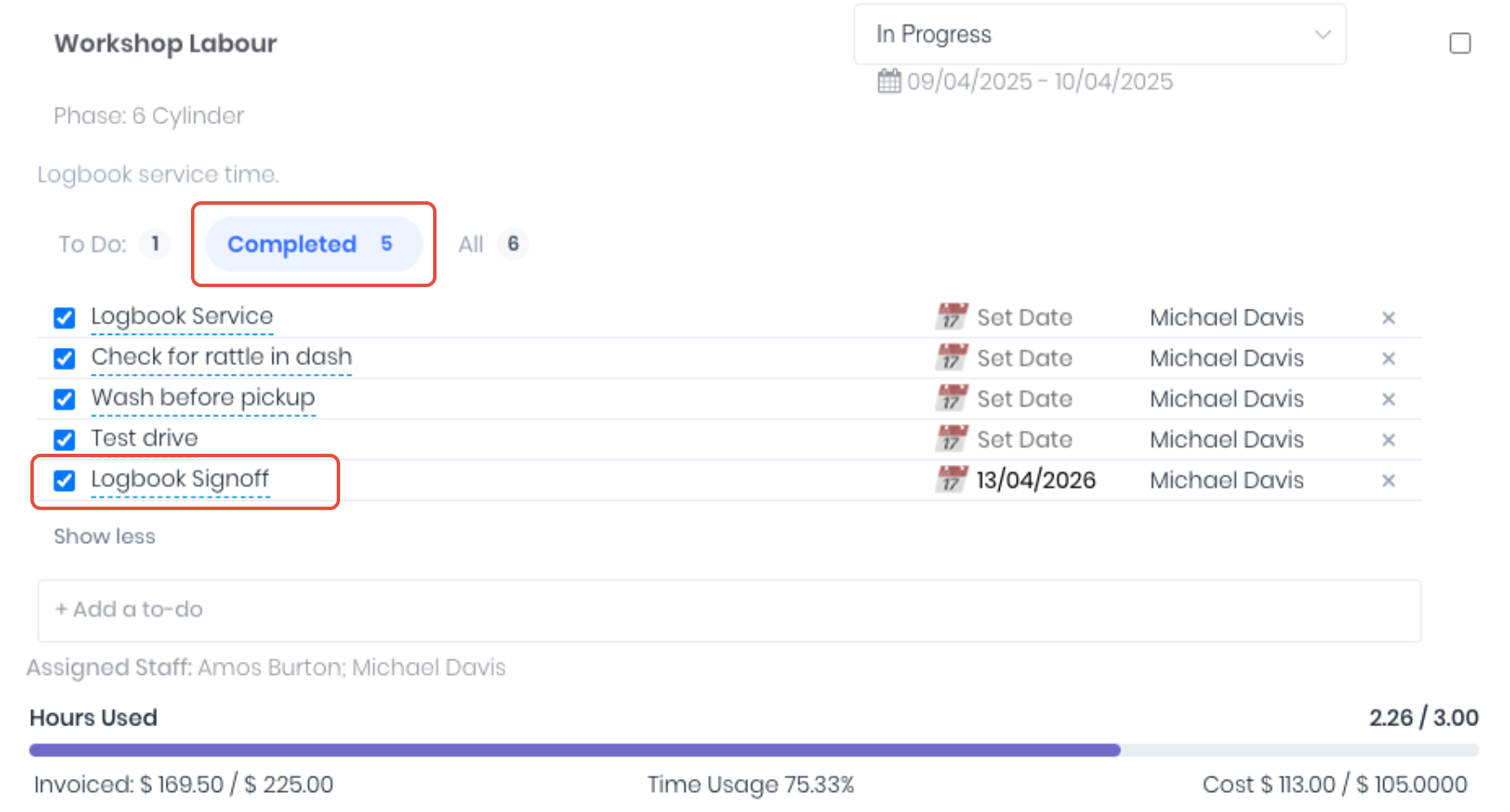
In addition to project tasks, to-dos can also be completed from:
Was this article helpful?
That’s Great!
Thank you for your feedback
Sorry! We couldn't be helpful
Thank you for your feedback
Feedback sent
We appreciate your effort and will try to fix the article