The Kiosk can be used to quickly enter and review project or production job notes.
Add Notes
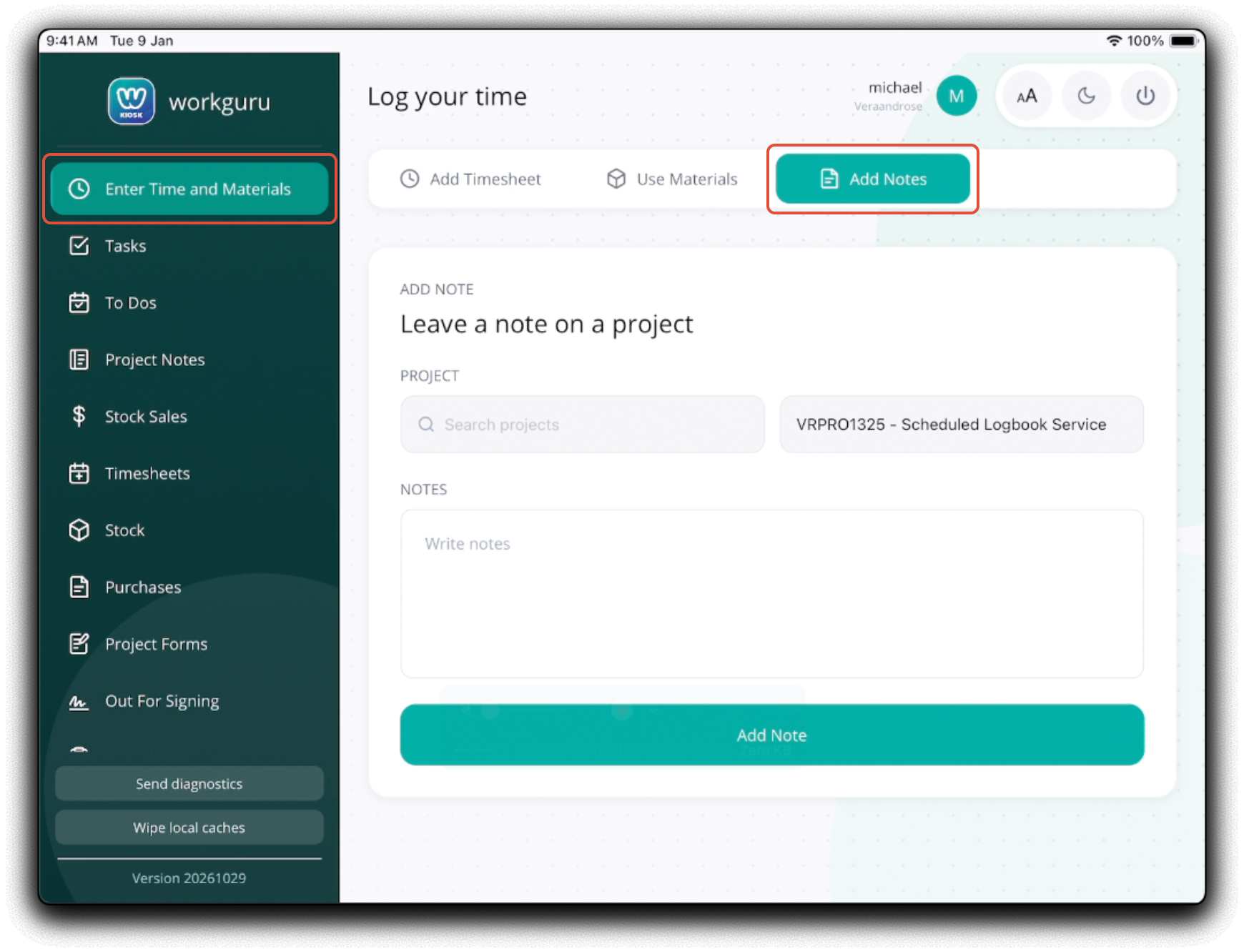
To add a note to the project via the kiosk, click Add Notes to show the notes page.
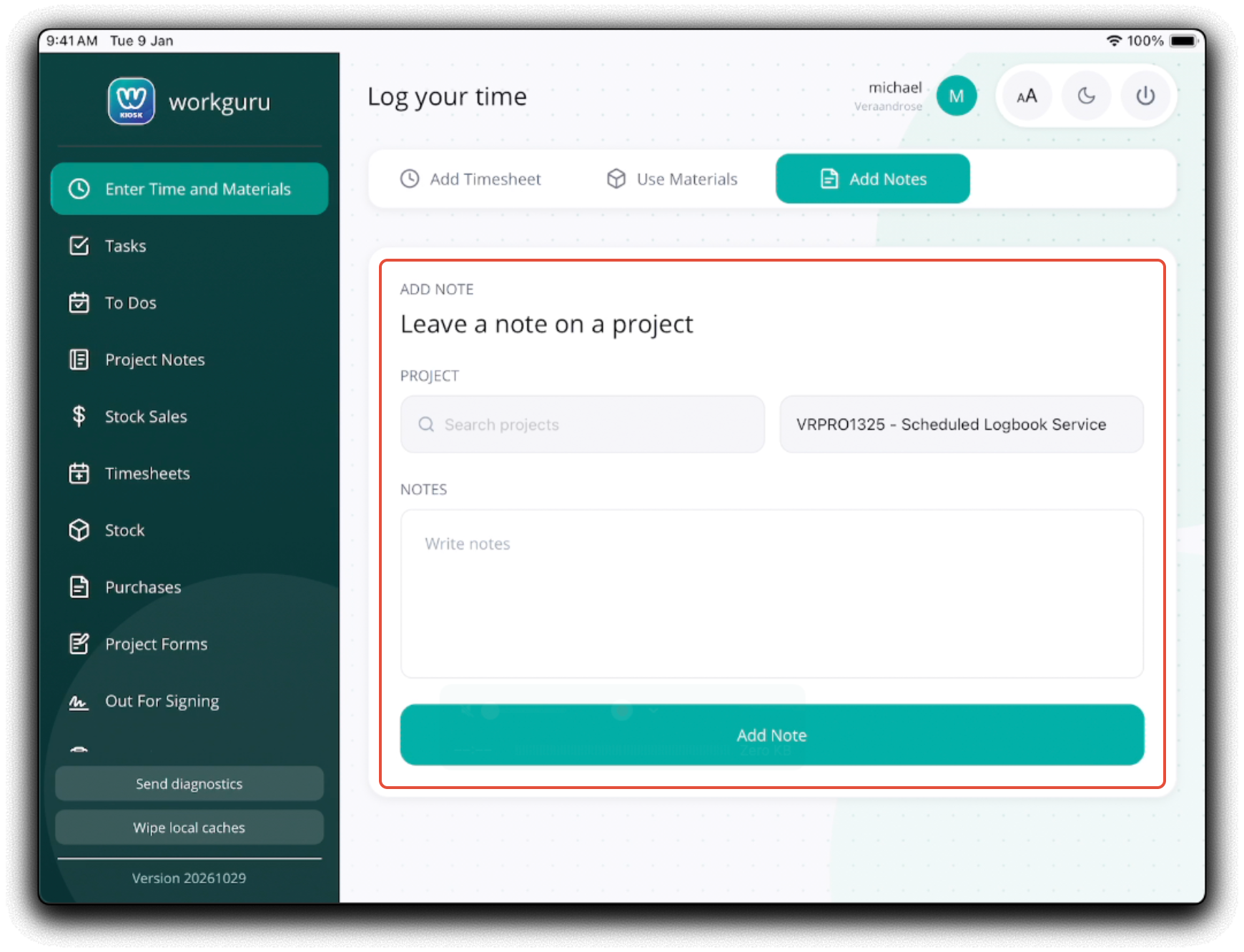
Add the note by completing the following fields:
- Project - Tap Search or Select a Project to select the required Project
- Notes - Add note text. You can expand this field to enter larger notes by dragging the bottom right corner.
 The note is now added to the Notes tab in the project's details page.
Review Notes
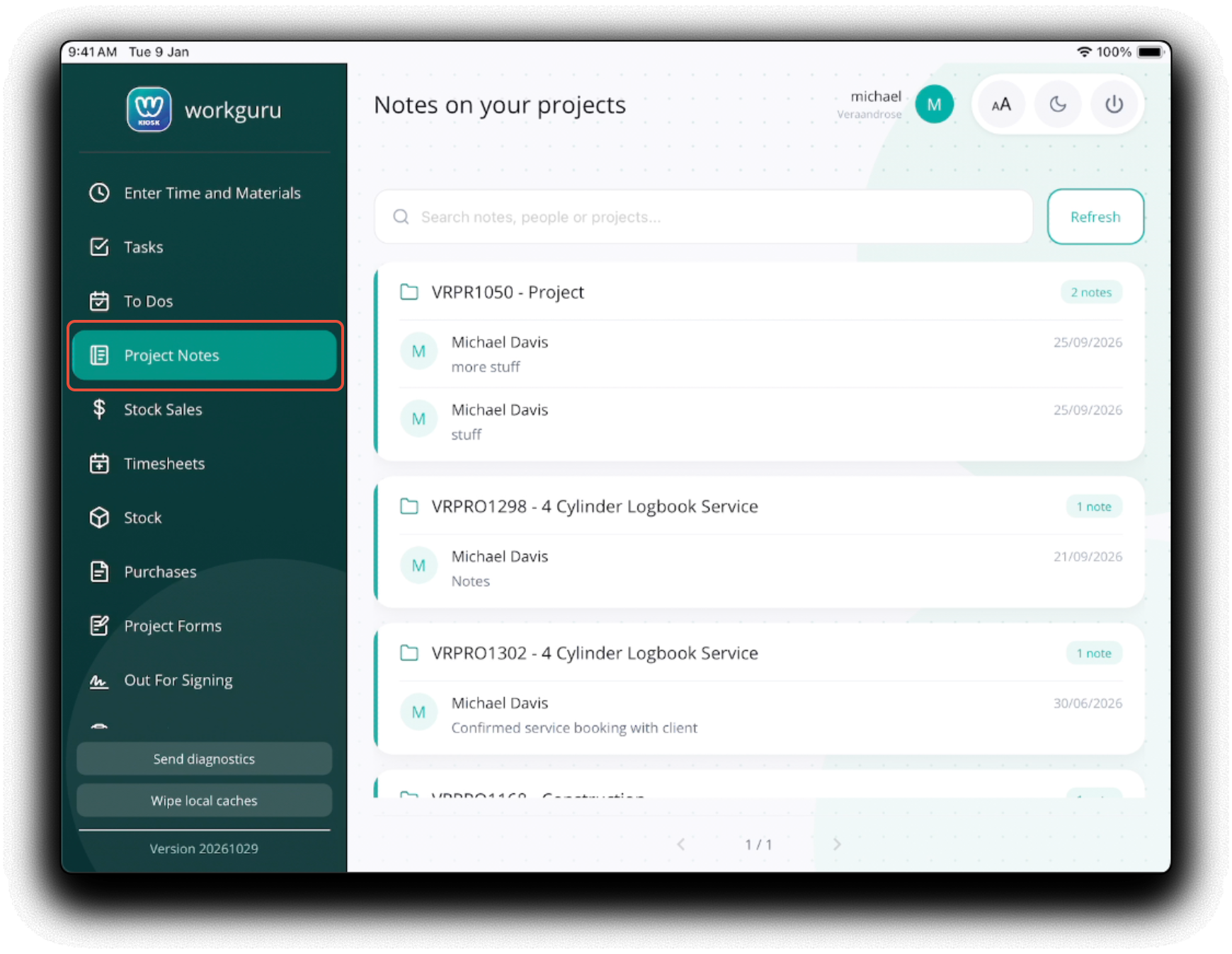
You can review existing active project notes from the Project Notes page.
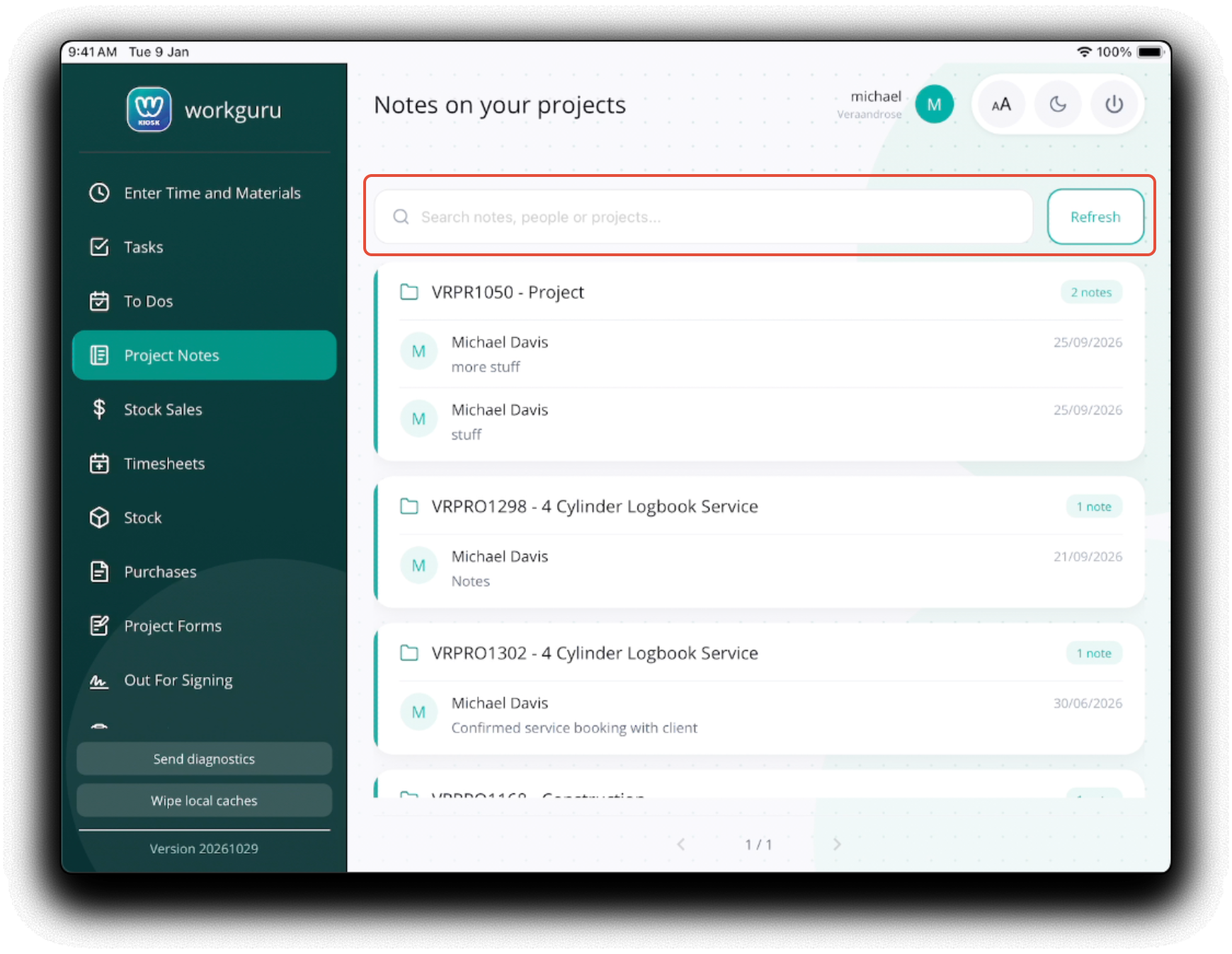
Search note text, staff or projects to access the notes you require. Refresh will pull the latest notes down from the WorkGuru servers.
Was this article helpful?
That’s Great!
Thank you for your feedback
Sorry! We couldn't be helpful
Thank you for your feedback
Feedback sent
We appreciate your effort and will try to fix the article