The iOS kiosk application allows you to formally setup the WorkGuru kiosk on devices via an application instead of the browser. This allows the kiosk to leverage the advantages of a dedicated application on the device. The latest WorkGuru iOS kiosk application is available on the iOS App Store and is designed primarily for iPads. Although the iOS kiosk can run on an iPhone, the user interface is not optimise for the smaller screen/resolution. To setup the app, simply search the App Store for WorkGuru Kiosk and install the application following the device's prompts.
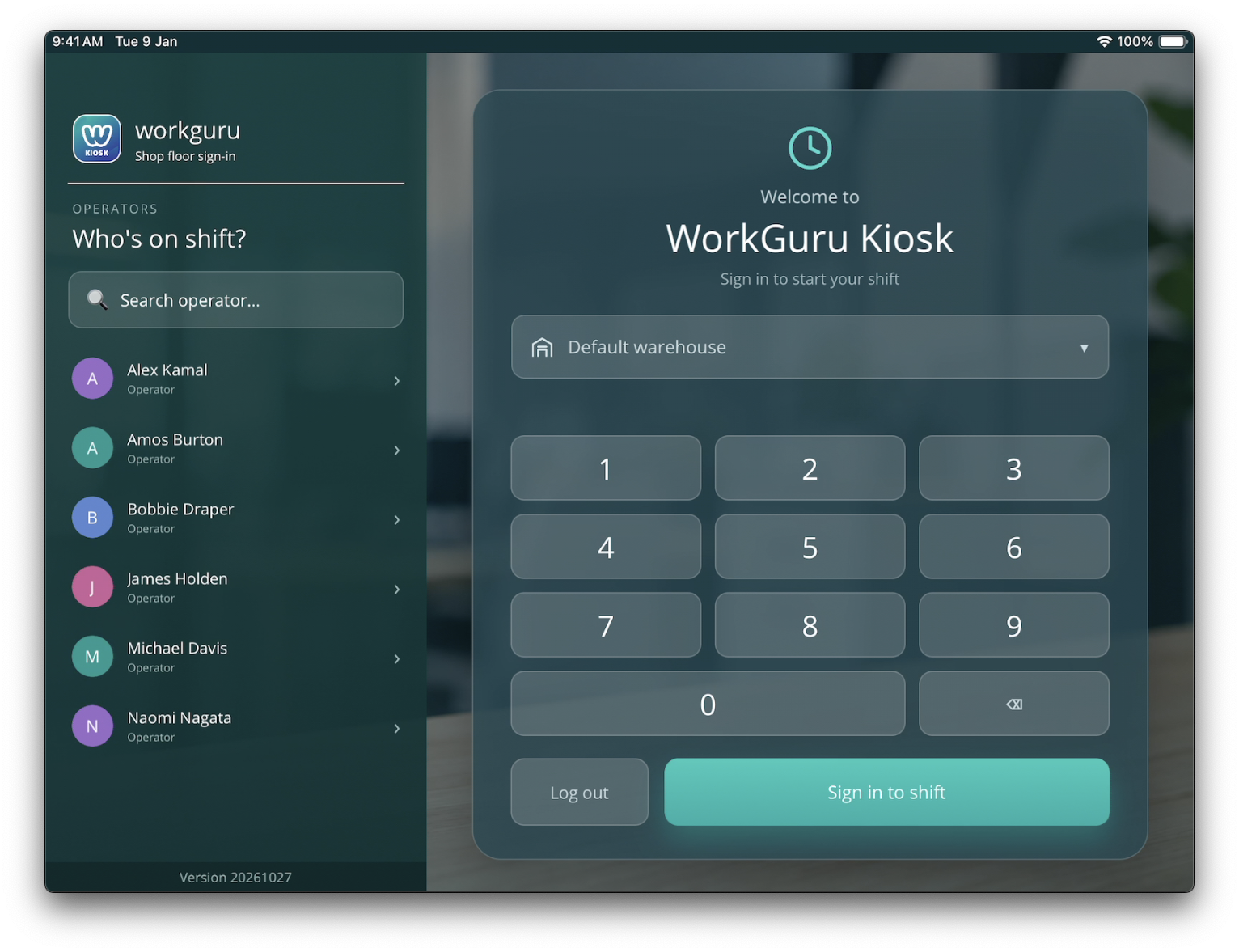
The iOS kiosk application allows multiple users to quickly add actuals to projects from a single device. Once logged on you can customise the app to suit your preferences:

- Font Size - Switch between standard or large text sizes
- Dark Mode - Toggle between dark or light mode
- Log Out - Return to the login screen.
The kiosk also provides quick access to other workshop tasks such as dispatching stock sales and receiving purchase orders via the menu: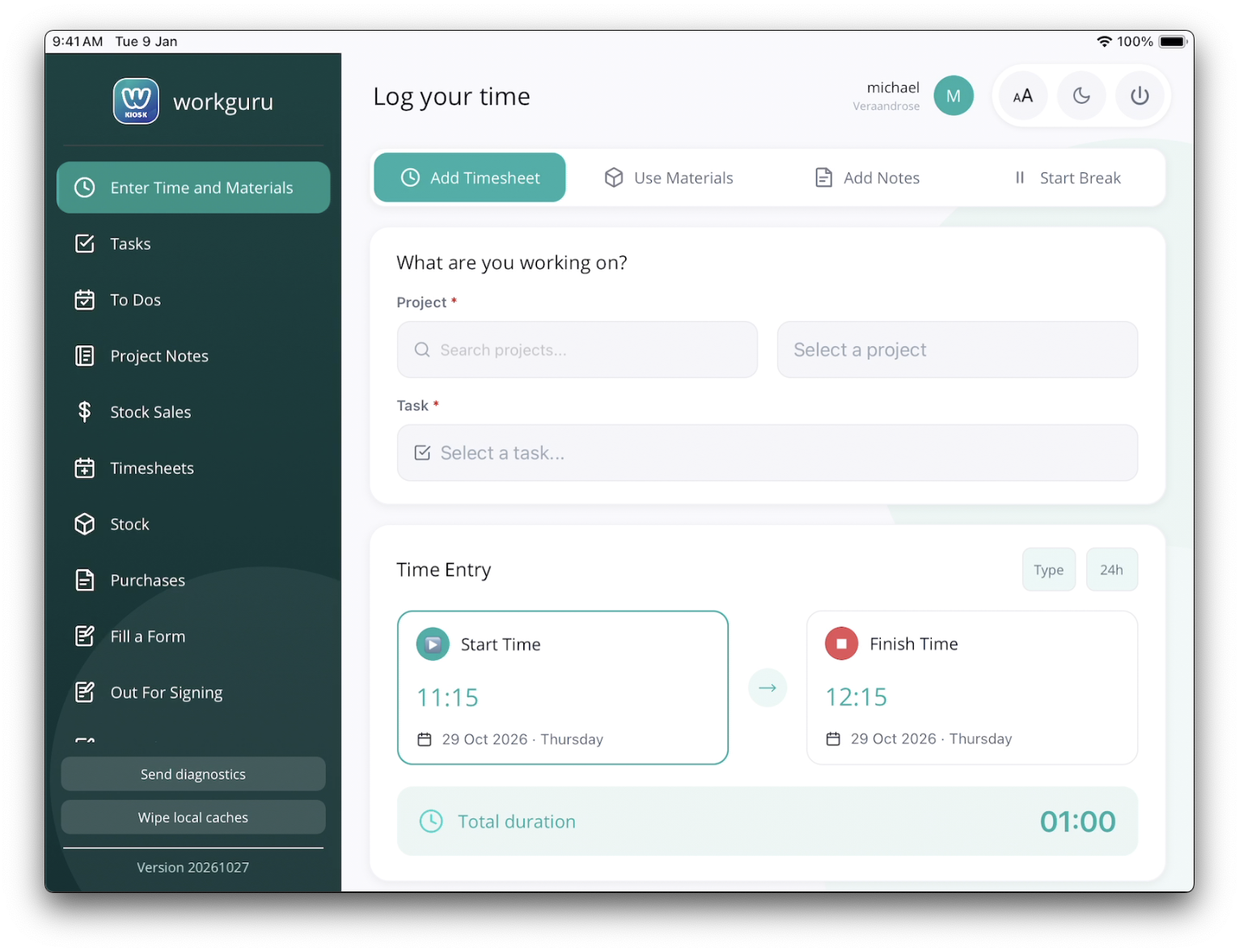
- Enter Time and Materials - Add daily or weekly timesheets, use materials, add notes to a project. You can also start a break if available.
- Tasks - Review and complete assigned project or production tasks.
- To Dos - Review and complete the kiosk user's to dos.
- Project Notes -
- Stock Sales - Dispatch the kiosk user's stocksales
- Timesheets - Review the kiosk user's last weeks worth of timesheet entries.
- Stock - Lookup current stock on hand in selected warehouse.
- Purchases - Receive open purchase orders.
- Fill a Form - Complete a form to capture information for a project.
- Out for Signing -
- Complete a Form -
Note: The iOS Safari browser is NOT supported by WorkGuru. It does not handle the javascript used by WorkGuru as per the required web standards.
Was this article helpful?
That’s Great!
Thank you for your feedback
Sorry! We couldn't be helpful
Thank you for your feedback
Feedback sent
We appreciate your effort and will try to fix the article