Clients in WorkGuru can only be deleted if they do not have any transaction history. Clients with transaction history have to be made inactive.
Deleting Clients
If the client doesn't have history, the Delete button will be available at the bottom of the client detail page.

Note: No Delete button means you have to make the client inactive.
Making Clients Inactive
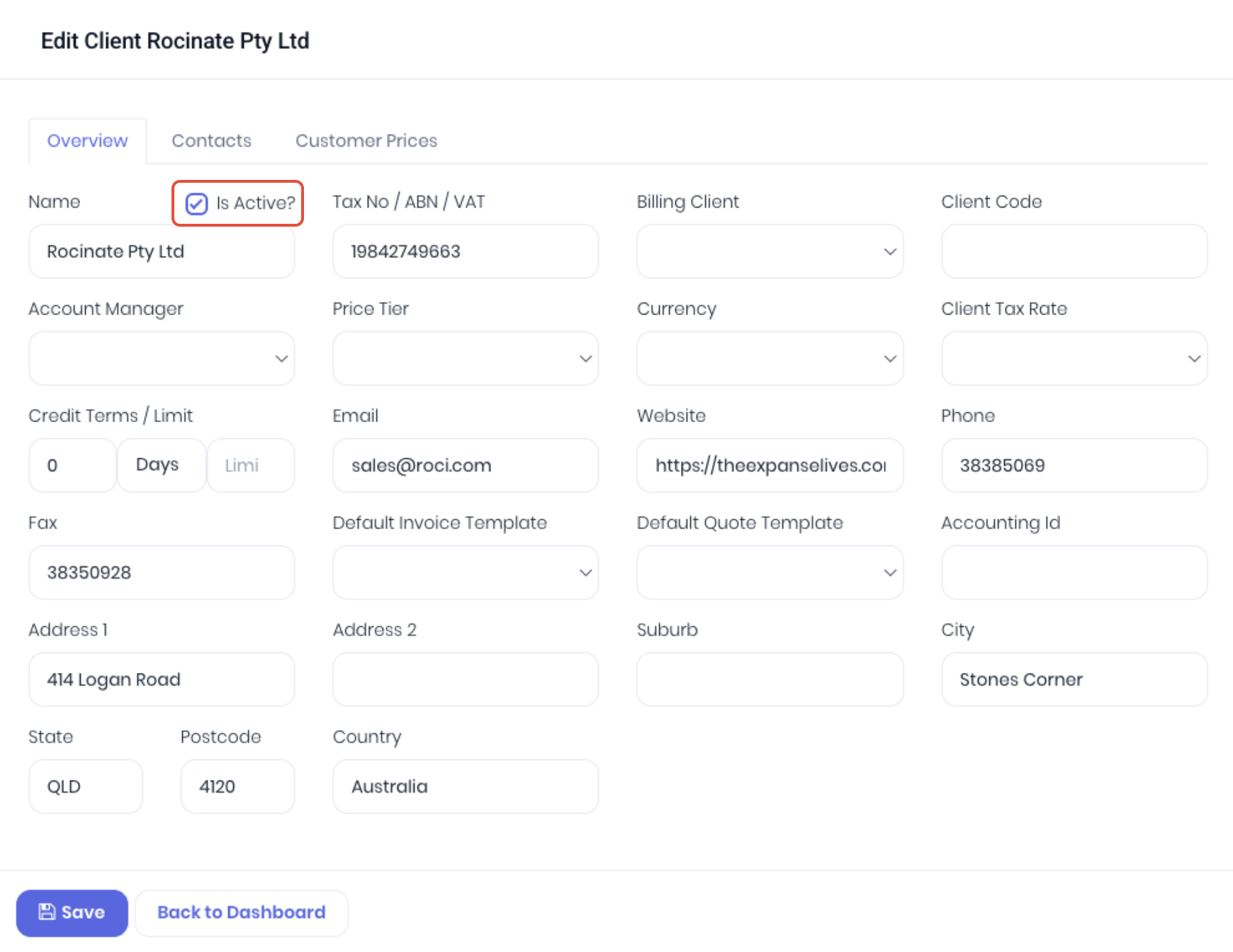
To make a client that is no longer required inactive, edit the client and deselect the Is Active? checkbox. Save to confirm changes.
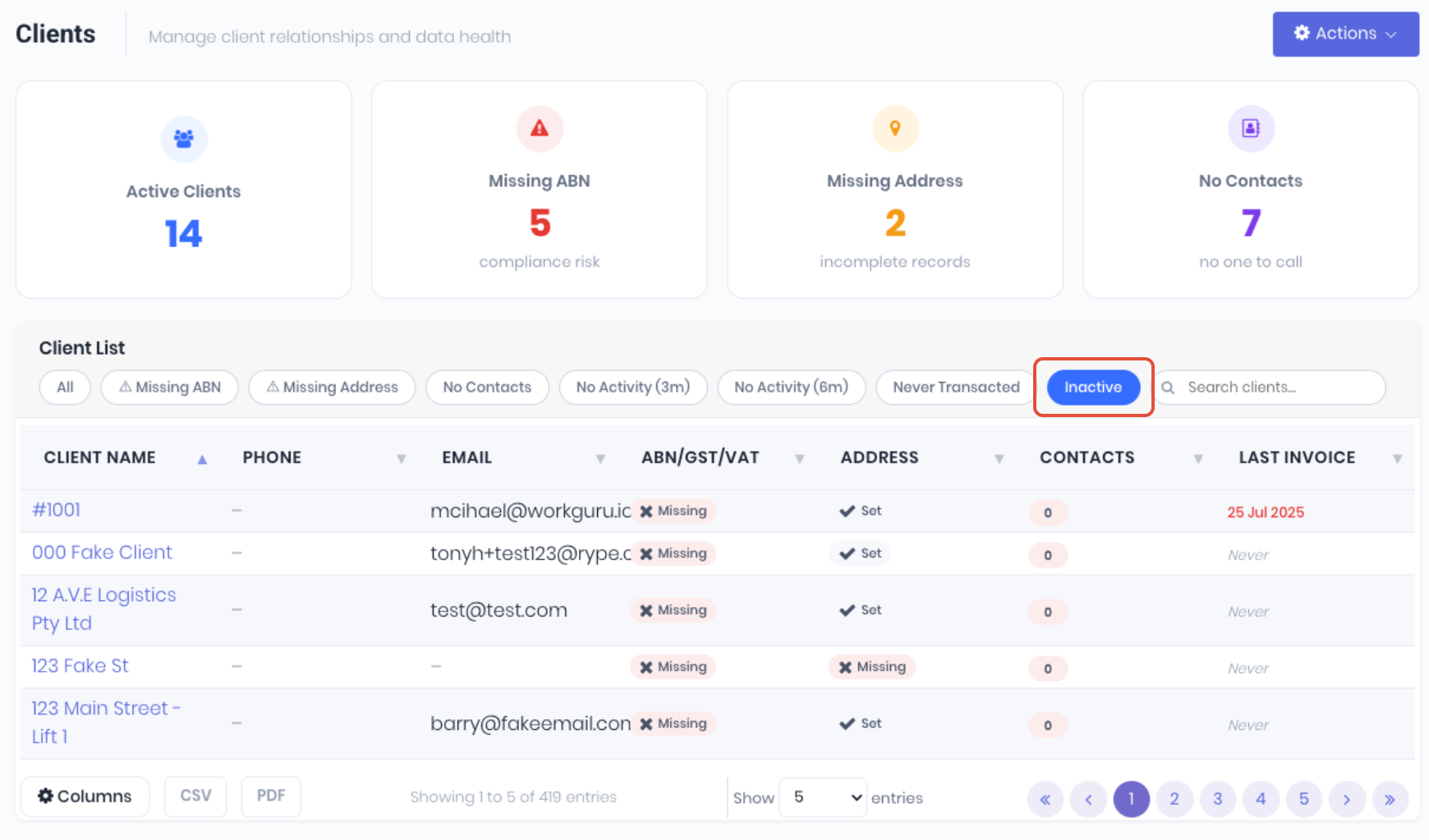
Inactive clients can still be accessed by selecting the Inactive tab in the client list. You can re-select the Is Active? checkbox to re-activate if needed.
Deleting Contacts
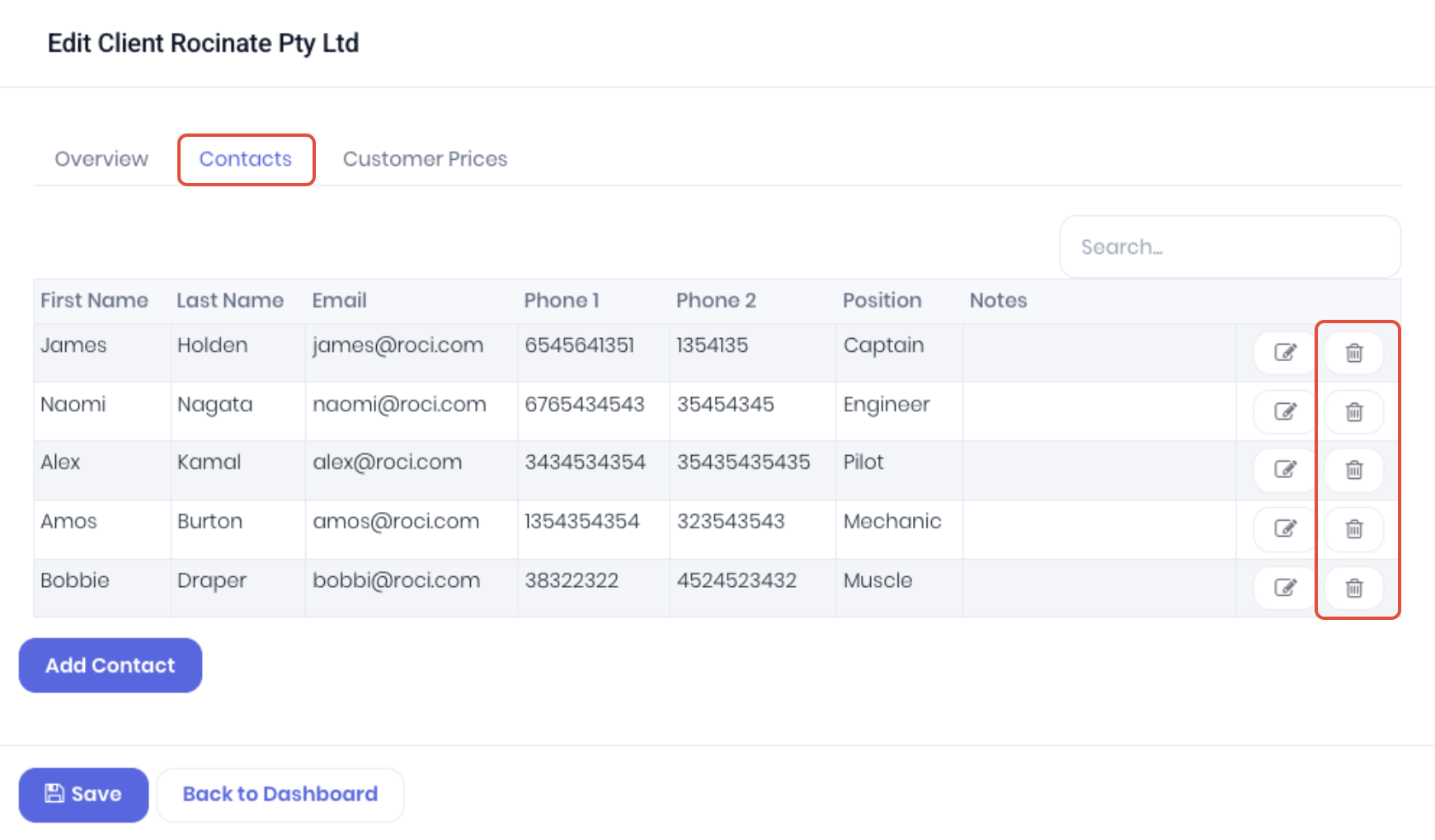
Client contacts can be deleted regardless of client transaction history. Contact details can be deleted either via the Contacts tab when editing the client details.
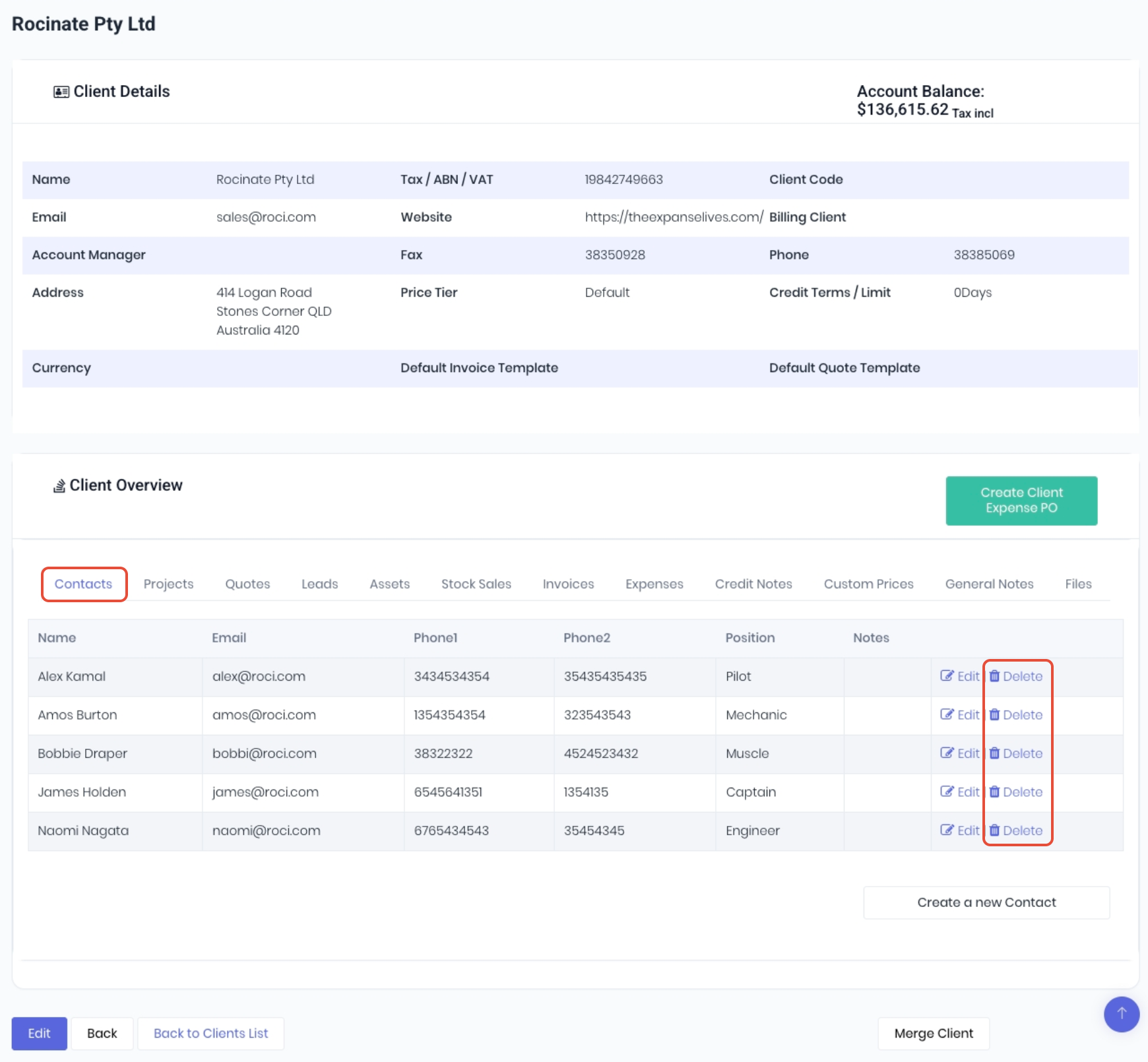
Or directly from the client detail page. In the Contacts tab of the Client Overview section, click Edit at the end of the contact row.
Was this article helpful?
That’s Great!
Thank you for your feedback
Sorry! We couldn't be helpful
Thank you for your feedback
Feedback sent
We appreciate your effort and will try to fix the article