Adding weekly timesheets in the WorkGuru mobile app is easy. You can add timesheets from the Quick Actions menu by tapping the Plus icon in the footer of the app. Note: The mobile app will recognise If you have blocked timesheet entry by project or task status in your project settings.
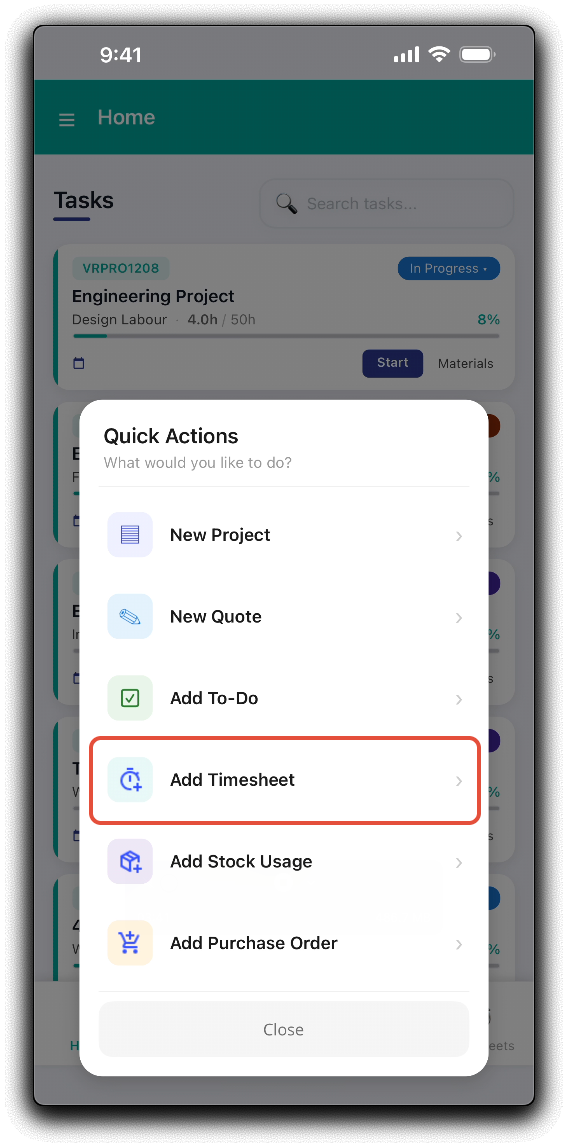
Tap Add Timesheet to add the weekly timesheet by simply entering the total duration of the timesheet.
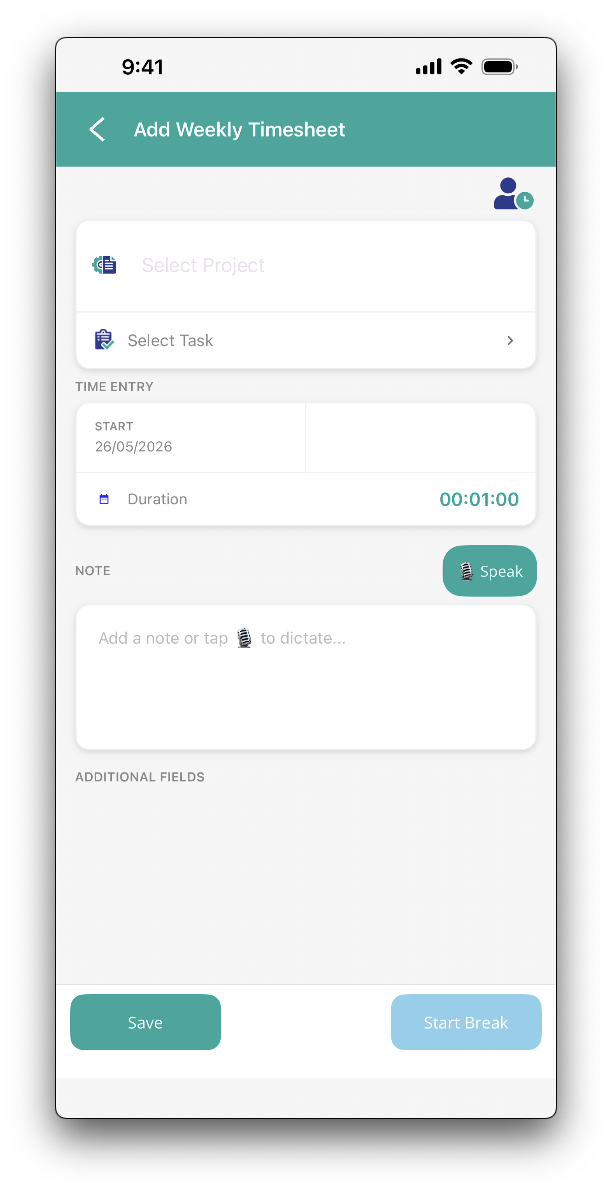
- Project - Search for an select the project to add the timesheet to.
- Task - Select the project's task, it will also include the phase that the task is assigned to if relevant in the following format - Task name - Phase name.
- Start - Timesheet start date.
- Duration - Enter the total timesheet length. The entry format is days:hours:minutes (DD:HH:MM).
- Note - Tap the note field to type text, or tap Speak to dictate notes quickly via voice to text. You will need to approve the app request to access the device's microphone for this function to work.
Tap Save to submit the weekly timesheet.
Was this article helpful?
That’s Great!
Thank you for your feedback
Sorry! We couldn't be helpful
Thank you for your feedback
Feedback sent
We appreciate your effort and will try to fix the article