Client credit limits allow you WorkGuru users to be notified if a client's current account balance is currently over the nominated limit when the following transaction are created:
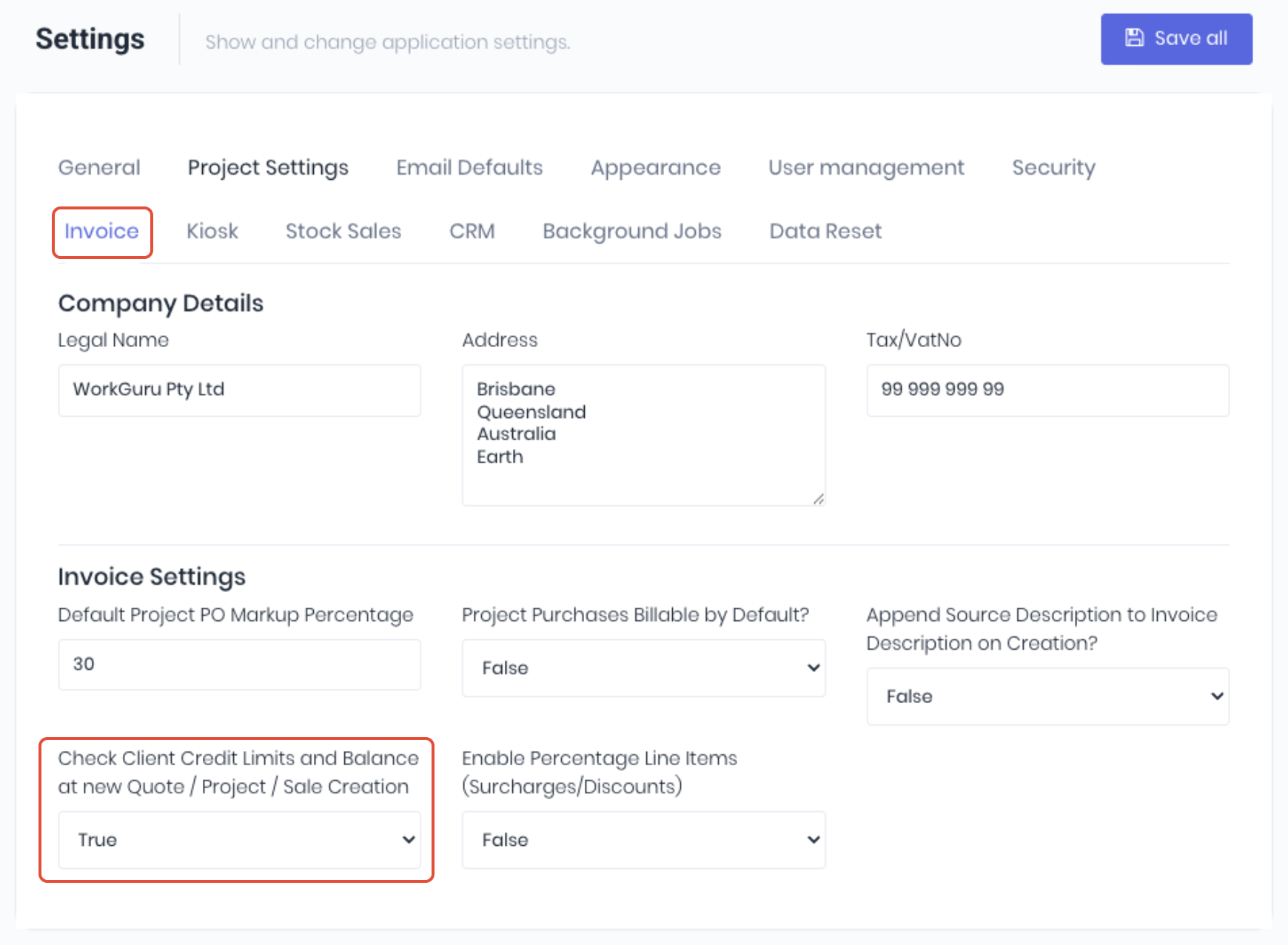
To enable credit limits, first ensure that the checks are enabled in your invoice settings (Administration -> Settings -> Invoice). Set the Check Client Credit Limits and Balance at new Quote / Project / Sale Creation dropdown to True
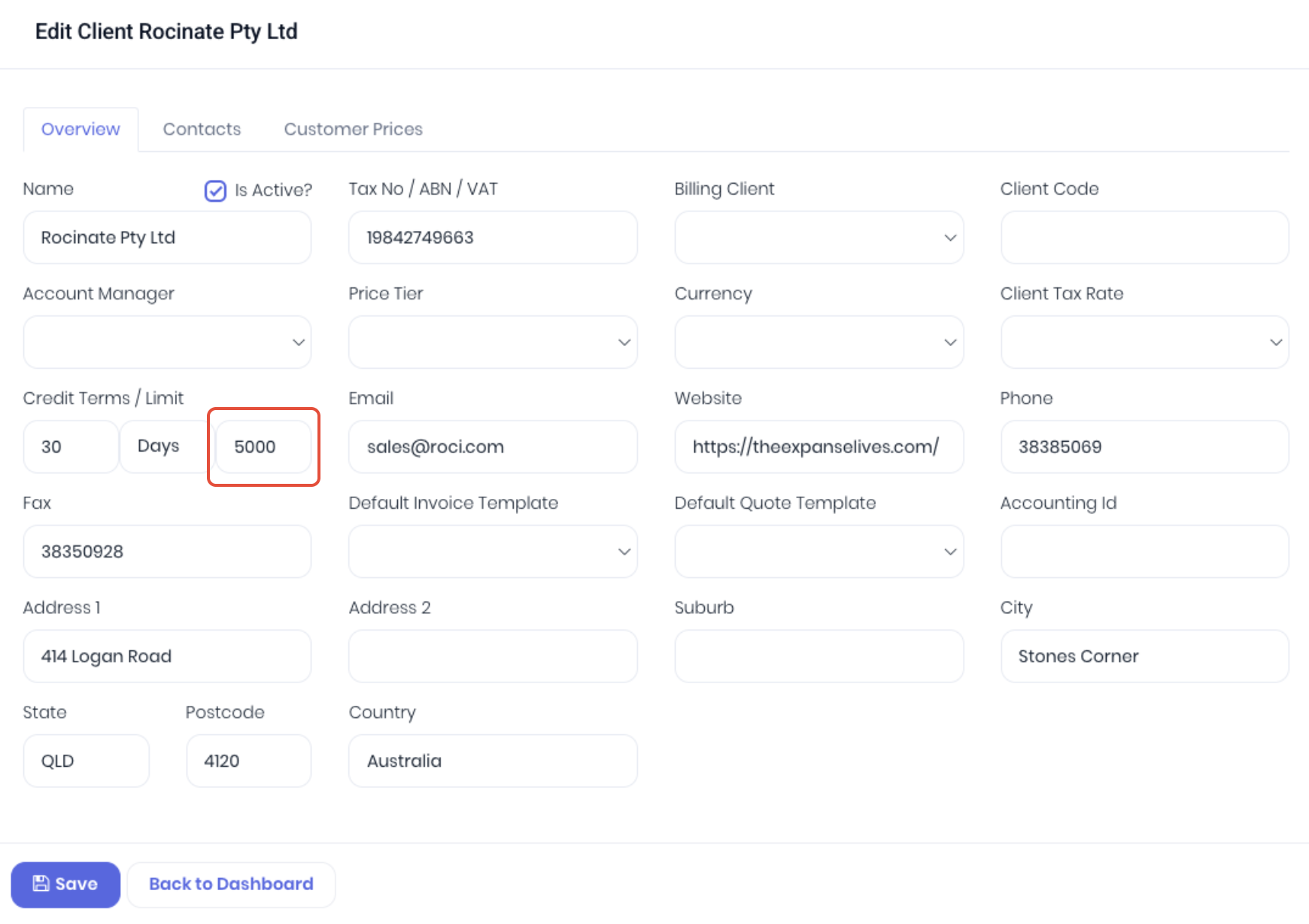
From the client details page, edit the client and enter the required limit under the Credit Terms / Limit field:
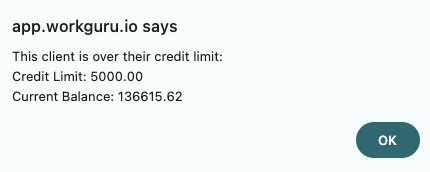
Users will now be notified if the users Account Balance is currently over the nominated limit when creating a new quote, project or stock sale.
The users account balance can be monitored from their client details page:
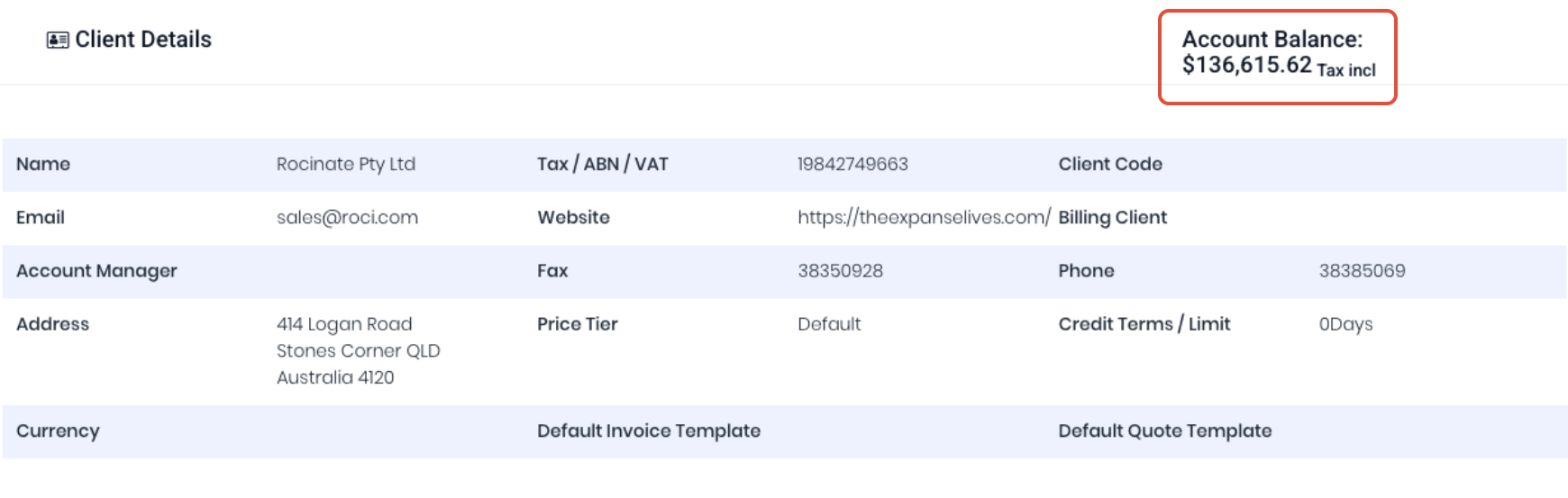
Note: The account balance in WorkGuru is based only on invoices and payments raised and applied in WorkGuru. It may not match the client's true account balance, which is managed in the connect accounting integration.
Was this article helpful?
That’s Great!
Thank you for your feedback
Sorry! We couldn't be helpful
Thank you for your feedback
Feedback sent
We appreciate your effort and will try to fix the article