Scheduled reports can be added and managed from the scheduled report dashboard (Workflows -> Scheduled Reports).
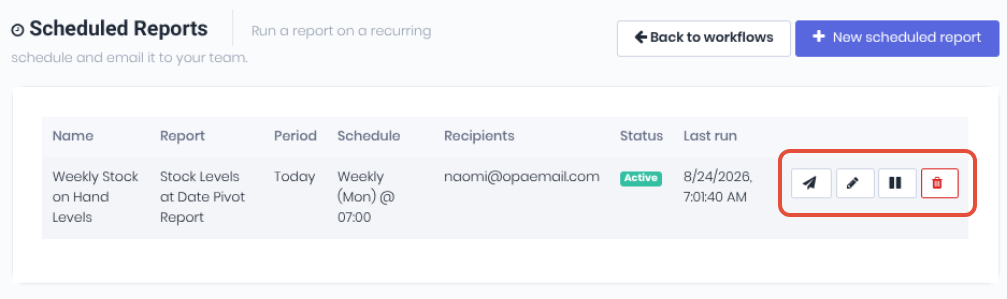
The dashboard displays your current schedules with their details, Status and Last Run date. Available functionality is provided via the icons and includes:
- Run Now - Force the scheduled report to run immediately. Useful for testing purposes or to send the scheduled report to its recipients outside of the normal schedule.
- Edit - Edit or update the scheduled report.
- Deactivate/Activate - Update the scheduled reports active status.
- Delete - Delete the scheduled report completely.
Was this article helpful?
That’s Great!
Thank you for your feedback
Sorry! We couldn't be helpful
Thank you for your feedback
Feedback sent
We appreciate your effort and will try to fix the article